eclipse字体大小怎么设置 eclipse字体大小设置方法
提问人:ylm发布时间:2026-01-14
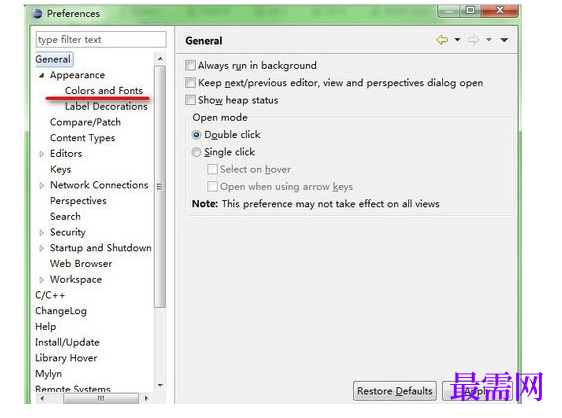
步骤一:打开eclipse,找到“window”--“preferences”,在左边的菜单栏中找到general,appearance在general展开后的第一行,点击展开appearance;

步骤二:找到“colors and fonts”,点击;
步骤三:看到右边字体一列有很多的选项,我们只需要修改basic里面的;,最下面有 Text Font 这个选项
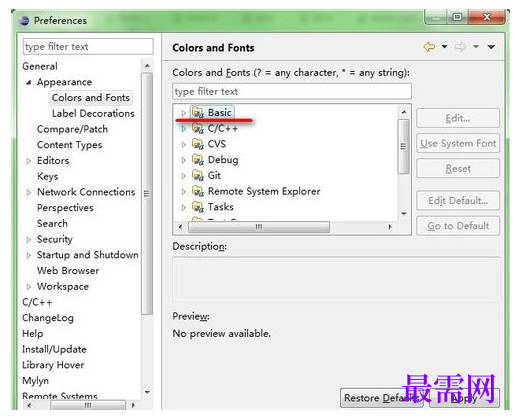
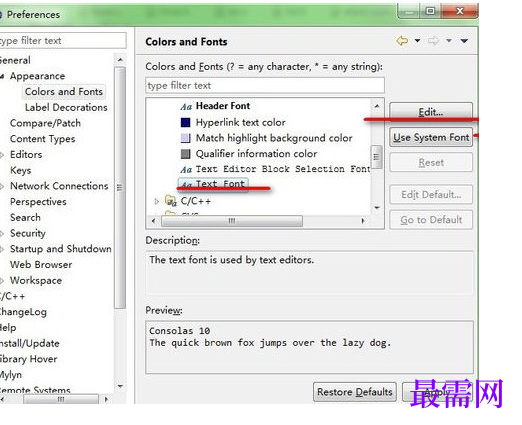
步骤四:点击展开Basic,最下面有Text Font选项,点击,然后右边的Edit被激活了,点击Edit。
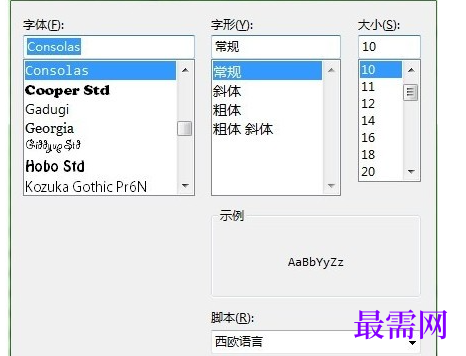
步骤五:选择你想要的字体。
继续查找其他问题的答案?
相关视频回答
回复(0)

 湘公网安备:43011102000856号

点击加载更多评论>>