vscode重复属性错误怎么提醒?vscode重复属性错误提醒方法
提问人:wx20251019143144发布时间:2026-10-25
vscode重复属性错误怎么提醒?vscode重复属性错误提醒方法
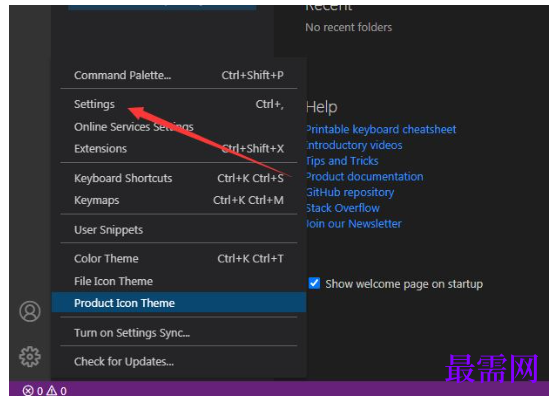
1、首先点击菜单中的更多菜单,弹出了下拉菜单选中为settings选项。
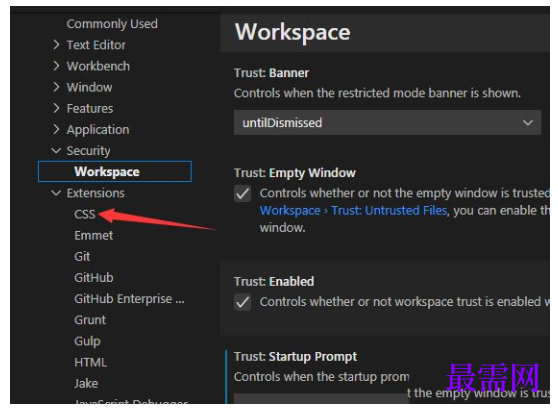
2、然后点击左侧中css选项。
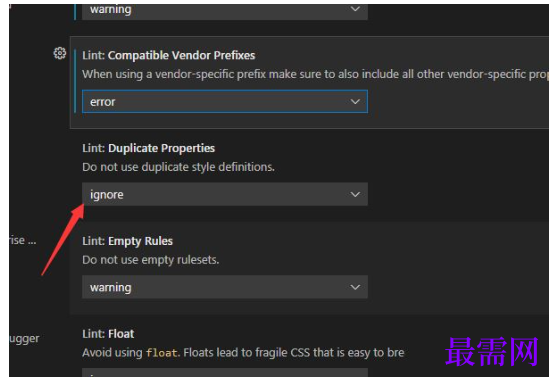
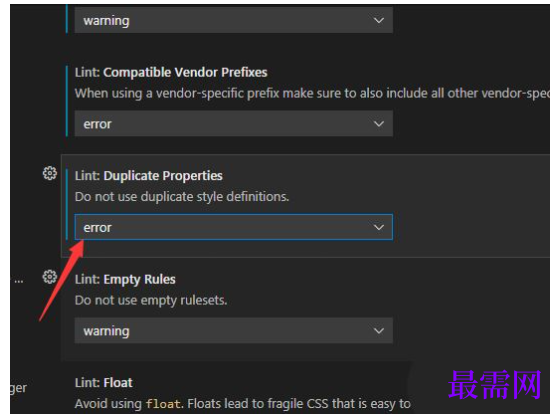
3、点击duplicate properties选项。
4、接着弹出了下拉菜单选择为error选项。
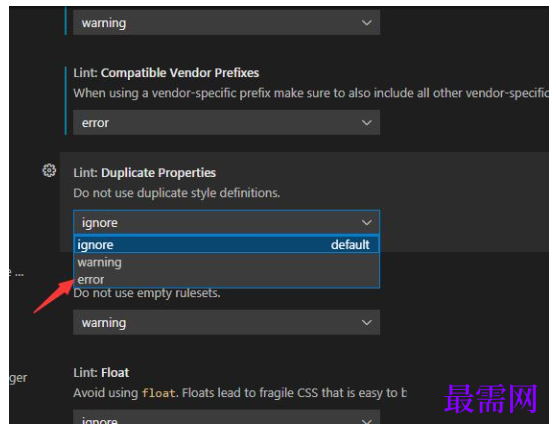
5、最后选择为error选项之后,会自动保存设置了。
继续查找其他问题的答案?
相关视频回答
回复(0)

 湘公网安备:43011102000856号

点击加载更多评论>>